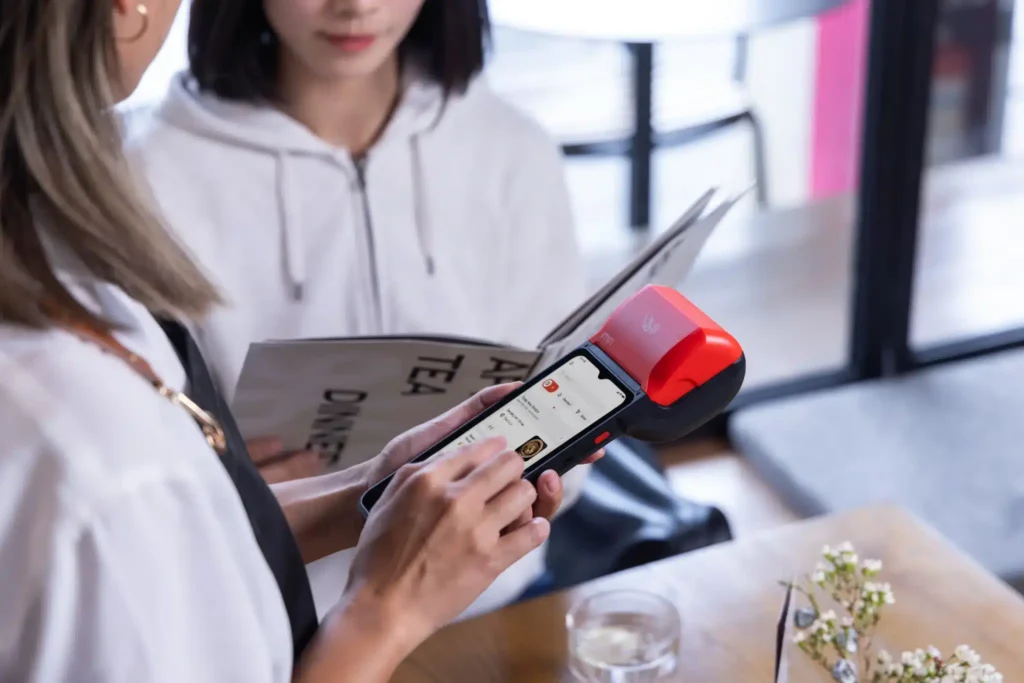
In today’s fast-paced business environment, efficiency, mobility, and convenience are more important than ever. Small businesses, in particular, need solutions that can handle transactions smoothly without breaking the bank. This is where mini POS hardware comes in. Portable, compact, and feature-rich, mini POS systems are revolutionizing how small businesses operate.
In this guide, we’ll explore everything you need to know to choose the right mini POS hardware for your business, from key features and setup tips to integration and maintenance.
What Is Mini POS Hardware?
A mini POS system is a compact version of a traditional point-of-sale device. Unlike bulky cash registers, mini POS hardware is designed to be portable, often wireless, and equipped to handle card payments, mobile wallets, and sometimes even inventory tracking.
Key advantages include:
- Portability: Ideal for pop-up shops, food trucks, or mobile vendors.
- Ease of use: Simple setup and intuitive interfaces.
- Cost-effectiveness: Affordable compared to full-scale POS systems.
- Versatility: Can handle multiple payment types and integrate with software tools.
Mini POS hardware can range from handheld devices to small countertop terminals, so it’s important to understand your business needs before making a decision.
Why Your Small Business Needs Mini POS Hardware
Small businesses face unique challenges: limited space, tight budgets, and the need for flexibility. Mini POS hardware addresses these issues in several ways:
- Improved Transaction Speed: Customers want quick and seamless payments. Mini POS devices process transactions efficiently, reducing wait times.
- Mobility: If your business operates in multiple locations or at events, a portable POS is essential.
- Accurate Reporting: Many mini POS systems offer real-time sales and inventory tracking, helping business owners make data-driven decisions.
- Enhanced Customer Experience: Fast, modern payment options improve customer satisfaction and loyalty.
Key Features to Look for in Mini POS Hardware
When selecting the right mini POS for your business, consider the following features:
1. Payment Methods Supported
Your POS should handle the payment methods your customers prefer, including:
- Credit and debit cards
- Contactless payments (Apple Pay, Google Wallet)
- Mobile QR code payments
2. Connectivity Options
Mini POS hardware can connect via Wi-Fi, Bluetooth, or cellular networks. If your business operates in areas with limited connectivity, prioritize devices with offline payment capabilities.
3. Battery Life
A portable POS needs a reliable battery. Look for devices that can last a full day of transactions without frequent recharging.
4. Durability and Build Quality
Since mini POS devices are often handled frequently, durability is crucial. Check for shock-resistant and spill-resistant models.
5. Integration Capabilities
Your POS should integrate with your existing systems:
- Accounting software
- Inventory management tools
- E-commerce platforms
6. Ease of Use
A simple interface reduces training time for staff and minimizes errors during transactions.
Types of Mini POS Hardware
Understanding the different types of mini POS hardware can help you choose the right fit for your business:
1. Handheld POS Devices
Compact and portable, handheld POS devices allow you to process payments anywhere. Ideal for delivery services, market stalls, or pop-up shops.
2. Countertop Mini POS Terminals
Smaller than traditional POS systems, countertop terminals are perfect for businesses with a fixed location but limited counter space.
3. Mobile POS via Smartphones or Tablets
Some systems convert your smartphone or tablet into a mini POS using a card reader attachment. This is a cost-effective option for small businesses with minimal hardware needs.
How to Choose the Right Mini POS Hardware
Here’s a step-by-step approach to selecting the best device:
Step 1: Assess Your Business Needs
- How many transactions do you process daily?
- Do you operate in multiple locations?
- What payment methods do your customers prefer?
Step 2: Set a Budget
Mini POS hardware ranges from budget-friendly options to premium devices with advanced features. Decide on a budget that balances cost and functionality.
Step 3: Evaluate Features and Compatibility
Ensure the device supports your preferred payment methods, integrates with your software, and offers features that align with your business model.
Step 4: Consider Mobility and Battery Life
If your business requires mobility, prioritize lightweight devices with long-lasting batteries.
Step 5: Test Before Buying
Whenever possible, demo the POS device to evaluate its ease of use, speed, and reliability.
Benefits of Investing in Mini POS Hardware
Investing in the right mini POS hardware can bring measurable benefits:
- Increased Efficiency: Faster checkout processes save time for both staff and customers.
- Better Reporting and Analytics: Track sales, inventory, and customer behavior for smarter decision-making.
- Enhanced Customer Experience: Modern, flexible payment options improve satisfaction and loyalty.
- Scalability: Many mini POS systems grow with your business, supporting additional features as you expand.
Common Mistakes to Avoid When Choosing Mini POS Hardware
Even small mistakes can have a big impact. Avoid these pitfalls:
- Ignoring Integration Needs: A POS that doesn’t connect to your existing software can create more work than it saves.
- Focusing Only on Price: Cheaper devices may lack reliability or key features, costing more in the long run.
- Neglecting Mobility Requirements: If you need portability, make sure the device is truly compact and battery-efficient.
- Overlooking Security: Ensure the POS complies with PCI standards to protect customer data.
Maintaining Your Mini POS Hardware
Proper maintenance ensures longevity and smooth performance:
- Regular Cleaning: Wipe down screens and card readers to prevent dirt and grime buildup.
- Software Updates: Keep your device updated for security and feature improvements.
- Battery Care: Follow manufacturer guidelines to extend battery life.
- Safe Storage: Store the device in a dry, secure location when not in use.
Final Thoughts
Choosing the right mini POS hardware for your small business doesn’t have to be complicated. By understanding your needs, evaluating key features, and considering mobility and integration, you can select a system that boosts efficiency, enhances customer experience, and grows with your business.
POS Tech Direct is a leading provider of portable and mini POS solutions and hardware. With a wide range of reliable, feature-rich devices, we help small businesses stay ahead of the curve, making transactions faster, simpler, and more efficient.